


Jack Wallen/ZDNET
ZDNET key takeaways
- Desert OS is a Linux distribution based on Ubuntu.
- This distro is beautiful and full-featured.
- Desert OS performs better on bare metal than as a VM.
When I think of Xfce-based desktop distributions, a certain old-school look comes to mind. That doesn’t mean the open-source desktop should be overlooked… quite the opposite. Xfce is a lightning-fast, full-featured desktop that just so happens to look a bit old school. Of course, this is Linux, so anything is possible.
Also: The best Linux distributions for beginners: Expert tested and reviewed
When I came across Desert OS, I was convinced that it was a tweaked KDE Plasma or GNOME desktop. There was no way it could be Xfce, right? Right? I was wrong.
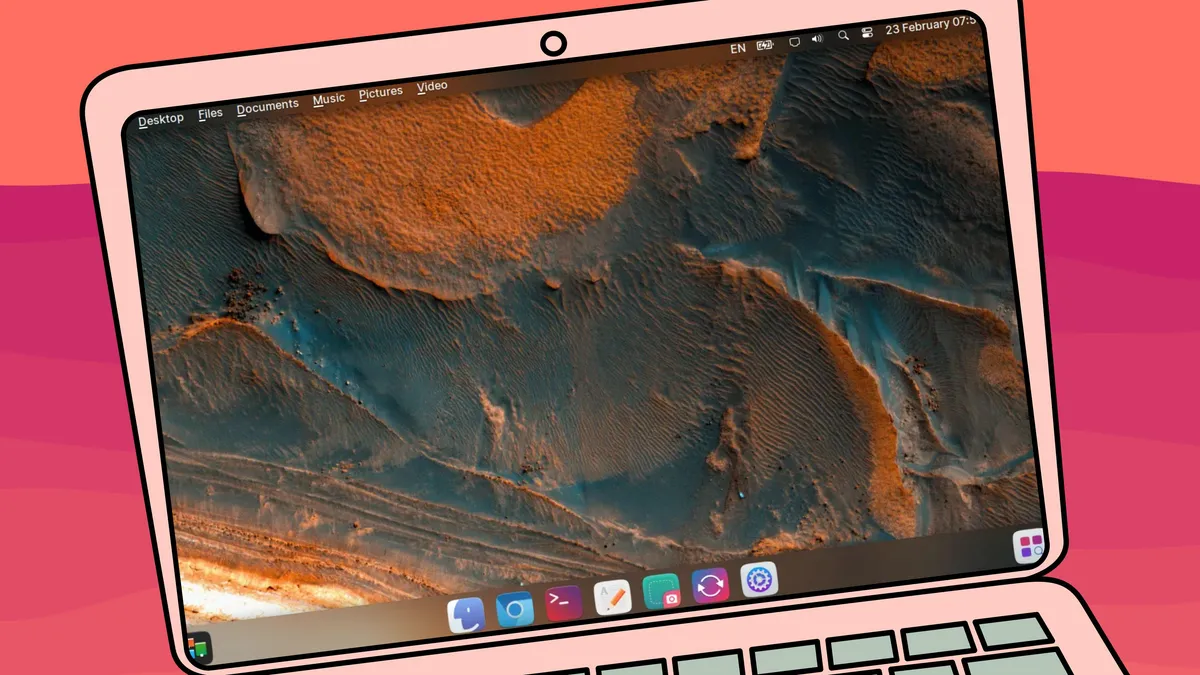
This Ukrainian Linux distribution sports a beautiful Xfce desktop with Ubuntu 26.04 under the hood to create a striking look and feel you won’t find in most desktop OSs of this combination. It really is pretty.
But how does it perform? Let’s first take a gander at the look and feel.
The Desert OS desktop
This Xfce desktop is something special. There’s opacity, blur, effects, and a layout that would make anyone feel right at home. There’s a top and bottom panel, an application overview, location menus (where you can quickly access specific locations in the file manager), and a desktop dashboard; there’s everything you need for a modern desktop experience.
Also: This modern take on Xfce is the perfect distro for audio fans – here’s why
If you like the idea of Xfce but don’t like its look, this could be what you want. It’s elegant in a way that makes me think it’s the love child of KDE Plasma and GNOME. Desert OS brings an elegance to Xfce that I haven’t seen in a long, long time. So, if aesthetics and speed are what you’re looking for, this is a great option.
Seriously, this take on Xfce is special. I’d love to see more Xfce-focused distributions be as bold as Desert OS and create desktops that are on par with those of KDE Plasma, Budgie, elementaryOS, and COSMIC.
Even the Settings app is well designed.
Jack Wallen/ZDNET
Even the sounds employed (such as when logging in) are impressive.
I’ve made this claim about other Linux distributions (such as Zorin OS and elementaryOS), but Desert OS looks and feels kind of Apple-ish. This is a meticulously designed desktop distribution that would impress even the staunchest of nay-sayers. But don’t be fooled; the Desert OS take on Xfce doesn’t attempt to mimic MacOS. This isn’t MacOS; this is very much Linux, but you do get the feeling of a very comprehensive and cohesive operating system that was designed not only to work well but look great while doing so.
Also: Try this tiny Linux distro when nothing else will fit – here’s why
Desert OS is based on Ubuntu 24.04 LTS, so it’ll receive support until 2029, which means you can install and enjoy it for some time now. The one thing the developers have done is strip the Ubuntu base of Snap packages and have made Flatpak optional. As far as an app store, you get Synaptic, which might not be the most modern package manager GUI, but it’s easy to use.
Synaptic isn’t my favorite package manager GUI, but it works just fine.
Jack Wallen/ZDNET
It’s sleek, it’s fancy, it’s smooth.
Also: Linux will be unstoppable in 2026 – but one open-source legend may not survive
As far as applications are concerned, you get Chromium, Mousepad (text editor), GIMP, Claws Mail, LibreOffice, Transmission, Image Writer, GParted, Inkscape, and much more.
The performance
On the performance side, things started out a bit tricky. I test all Linux distributions as virtual machines because it saves me time and money. When I booted Desert OS up as a KVM virtual machine, things did not go well. At all.
It was so sluggish that I couldn’t get it to respond to nearly anything.
It was then that I realized I was using version 5.0, which isn’t the stable version. So, I decided to jump down a rung on the release ladder to version 4.5. Same issue.
Eventually, I gave up on trying Desert OS as a virtual machine and installed it on a spare laptop, and all of a sudden, everything came to life.
Also: Goodbye, VirtualBox – I found a better, more reliable VM manager for Linux
There are just some distributions that don’t play well in a virtual world.
On a spare machine (that isn’t exactly a powerhouse), Desert OS performed like a typical Linux OS: fast and stable. Apps installed and opened quickly, animations were fluid, upgrades were a breeze, and everything felt rock solid.
The conclusion
I’m not saying you should immediately drop your current distribution and hop onto the Desert OS train, but this Ukrainian flavor of Linux is pretty impressive. If you’re looking to just see what’s out there, looking for a possible new distribution, want a desktop OS that’s far more elegant than what you have, or just want to bring that spare machine to life, Desert OS is a great option.
Download an ISO, burn it to a flash drive, and install this wonderful Linux distribution today.
